Pumpx limit orders set conditions for planned token buys and sells
Pumpx limit orders use Price, Market Capitalization, or Percentage settings to plan token purchases and sales. The selected setting describes a desired trading condition. Pool liquidity, price movement, and execution settings affect the actual transaction price. A planned entry or exit suits a decision to wait for a market condition. Market Order addresses immediate execution, while Trailing Stop tracks the token price and uses a callback percentage to trigger a market order.
The short version: A wider slippage tolerance can let a transaction proceed at a price a tighter setting would reject.
Order conditions and wallet balances have separate roles
A buying or selling condition expresses the market level you want to act on; the selected wallet supplies the relevant balance. Assets shows the balance for the wallet currently in view. Switching wallets changes which balance you inspect. An attractive target therefore says nothing about whether the selected wallet holds the asset needed for that trade.
A deposit changes a wallet balance without specifying a token purchase. The testing-phase download instructions restrict access to regions with trading licenses. Choosing an order mode does not establish regional eligibility.
Price, market capitalization, and percentage express different targets
Three methods appear within limit-order mode: Price, Market Capitalization, and Percentage. They provide different ways to express a condition, so the selected method must match how you describe the intended trade.
Price for a token-level target
The Price method fits a plan expressed as a token price.
Market capitalization for a valuation target
Market Capitalization fits a plan expressed through the token’s overall market valuation. Selecting a capitalization condition does not make it the amount spent on a purchase or received from a sale.
Interpreting the Percentage setting
Percentage provides another limit-order method, but a percentage needs a defined reference to express a meaningful target. Establish its reference and direction before translating it into a price expectation. The option’s name alone does not establish those details.
Planned entries and planned exits serve different goals
Limit-order mode supports both buying and selling, with the trade direction determining whether the plan adds a token or reduces an existing holding.
Waiting for an entry condition
A planned purchase fits a decision to wait for a market condition before buying. The target describes a market condition, without predicting when the market will meet it. The market may not revisit the target even when a chart recently passed through the same level.
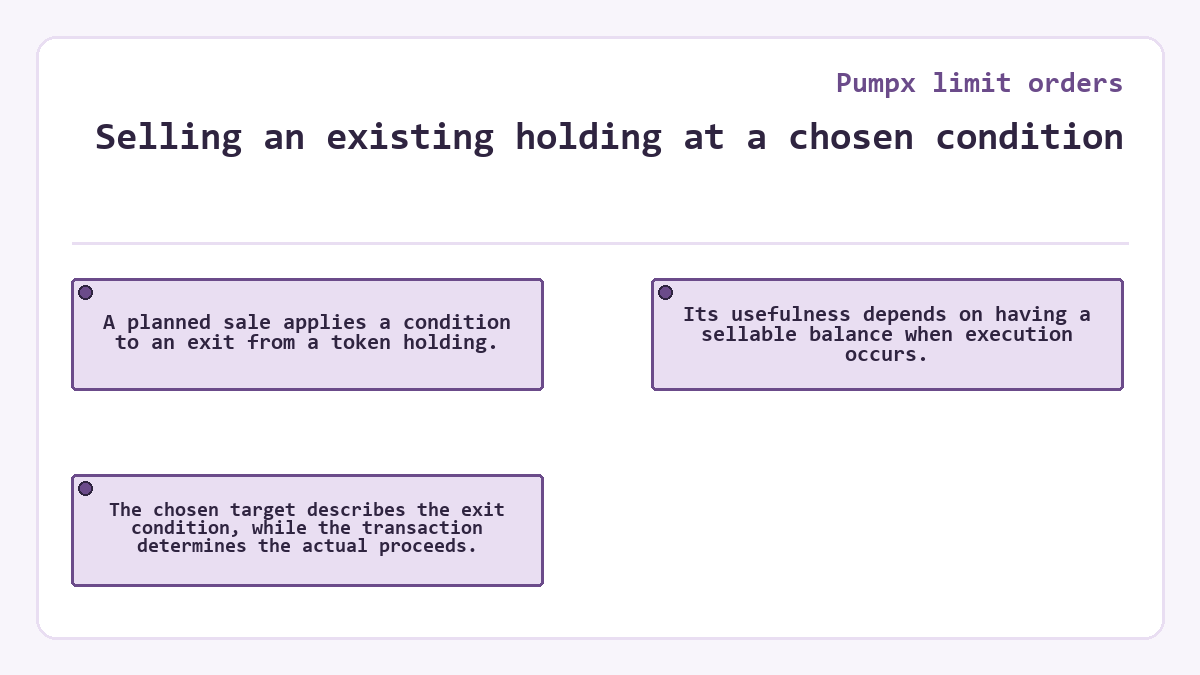
Selling an existing holding at a chosen condition
A planned sale applies a condition to an exit from a token holding. Its usefulness depends on having a sellable balance when execution occurs. The chosen target describes the exit condition, while the transaction determines the actual proceeds.
From a selected condition to an executed trade
For a planned buy, the Price setting expresses the intended entry condition, while the liquidity pool supplies the execution price.
| Order stage | What the setting or market determines |
|---|---|
| Choose the condition | Price expresses the planned buy level; Market Capitalization and Percentage offer other limit-order methods. |
| Reach the condition | The relevant market movement brings the chosen target into play; it does not establish the final amount bought. |
| Execute the trade | Pool liquidity, price movement, and slippage tolerance affect the transaction price and whether execution succeeds. |
| Market Order fits a decision to act at the available market price without waiting for a separate limit condition. | |
An executed transaction establishes the amount actually bought. A target on a chart supplies a market observation, without establishing that purchase.
Why can the execution price differ from the order condition?
Execution can occur at a different price because liquidity-pool prices change with trading, including the effect of the order itself. An automated market maker derives a trade quote from pool conditions. The displayed target does not by itself lock that execution quote.
A larger trade relative to a pool’s liquidity can cause greater price impact. Price impact describes the movement the trade itself causes. Slippage describes the difference between the expected execution price and the actual execution price. Both matter when interpreting a planned trade, especially when the pool has little depth relative to the order. A market capitalization target does not remove these execution effects.
Slippage tolerance balances price control and execution flexibility
Slippage tolerance sets how much execution-price movement a trade can accept. It affects execution under changing market conditions, separately from the choice of target.
A tight tolerance can cause a transaction to fail when the available price moves outside its permitted range. Raising tolerance allows a wider price difference. That flexibility can increase the chance of execution while exposing the trade to a worse price. Neither choice creates liquidity or removes the price impact of the order.
Network congestion and confirmation time add another source of uncertainty. Prices can move while a transaction awaits processing. Reaching the intended condition does not establish an exact completion time.
A trailing stop follows a different exit condition
Trailing Stop uses a callback percentage to follow the token’s market price and trigger a market order at the configured level. This suits an exit plan whose trigger follows a rising price and reacts to a subsequent pullback. A preselected limit condition instead suits a plan tied to the level you chose.
The trailing stop’s market order still faces price movement and available liquidity. A callback percentage does not establish the final sale price, even when the trigger behaves as intended.
Market Order and One-Click fit an immediate trading decision
Market Order fits a decision to buy or sell at the latest market price, subject to the trade’s slippage range. One-Click supplies presets for rapid execution and appears among both buying and selling controls. These alternatives suit a decision you want to act on now. Limit-order mode suits waiting for a selected condition. Immediate execution also depends on liquidity and price movement; a quote can change before the trade completes.
Changing a target cannot reverse a completed trade
A completed purchase or sale has already changed the wallet’s holdings, so changing a later plan cannot undo that execution. A subsequent trade faces its own market price and execution conditions. Returning to an earlier exposure can therefore produce a different financial result. Keep the outstanding instruction distinct from a transaction the market has already executed.
Sellability also limits an exit plan. A honeypot token can allow a purchase while its contract blocks a later sale or transfer. Setting a limit sell or selecting another order mode does not override that contract restriction. A successful entry therefore cannot establish that every planned exit will work.
Quick answers about Pumpx limit orders
Do I need a contract address to find the token for a limit order?
Token search accepts either a contract address or a token name before you open the token details. A contract address identifies the token contract, while a name supplies a search term. Finding the intended token does not select the order condition or establish available pool liquidity.
Does the token’s 24-hour volume equal the liquidity available to my limit order?
The 24-hour volume measures trading activity over that period, while pool liquidity concerns the assets supporting execution. A token can show past activity while a particular order faces limited depth. Trading volume therefore cannot substitute for assessing the order against the liquidity of its execution pool.
Can a token ranking establish whether my planned limit trade will fill?
A token ranking orders tokens by price changes over its selected time frame, so a high position cannot establish the pool depth available to a limit order, the eventual execution price, or whether the token contract permits the planned sale.
Where does sell Half after Doubling fit beside a limit sell?
Sell Half after Doubling is an optional One-Click Buy setting for a conditional partial sale. A limit sell uses a separately chosen limit-order condition.